CAD and BIM from a LiDAR scan

Scan to BIM and as-built drawings

CAD and BIM files built from a LiDAR scan.Accurate CAD drawings and BIM models built from a LiDAR scan, so your architects and engineers start from the property as it stands.

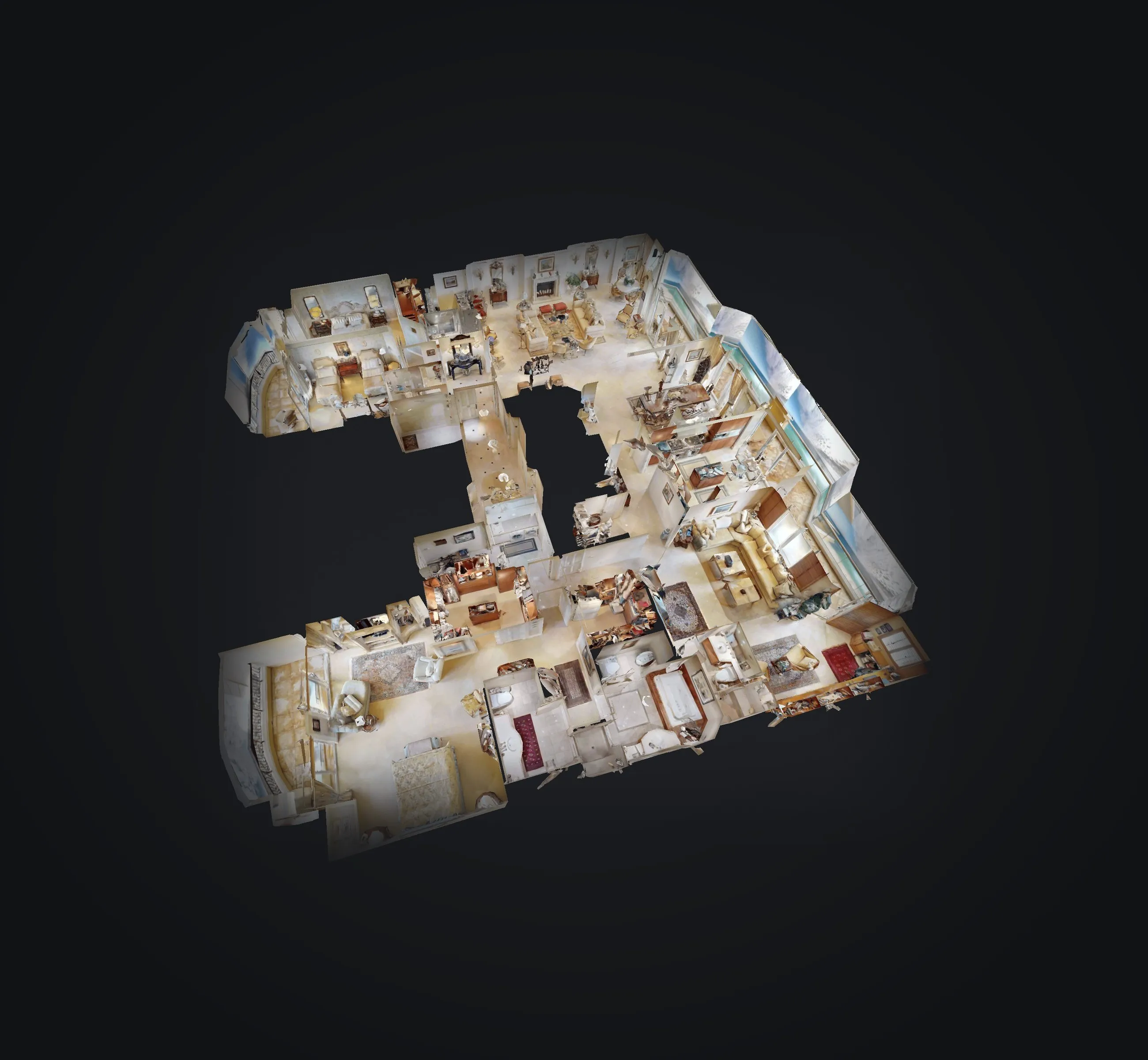
3D model of an entire oceanfront luxury condo, every room visible from above

What you receive

Measured, modeled and ready to design

  • 2D CAD drawings

    Floor plans as editable lines and layers

  • BIM model

    Walls, floors, doors and windows in Revit

  • Open formats

    IFC and DXF for any design software

  • Point cloud reference

    The scan itself, linked to your files

  • Updates after changes

    Revised when the property changes

File formats

CAD and BIM file formats for your design team

CAD drawings

DWG
The standard AutoCAD file: drawings as editable lines and layers.
DXF
An open drawing format that opens in almost any CAD program.
PDF
The same drawings, ready to view, print or mark up without CAD software.
RCS
The point cloud in Autodesk ReCap format, for checking details in AutoCAD.
BIM model

RVT
The native Revit model, ready for your architects to design in.
IFC
An open BIM format for ArchiCAD, Vectorworks and other tools.
DWG
Plans exported from the model, for teams working in AutoCAD.
RCS
The point cloud, linked into Revit as a reference.

Modeled to LOD 200, explained in the questions below

How properties use it

One capture, used by every team

  • Renovation and refurbishment: Architects design from the property as it stands

    Renovation and refurbishment

    Design from the real propertyArchitects design from the property as it stands

  • Facilities management: Teams manage spaces and assets from one accurate model

    Facilities management

    One accurate model for every teamTeams manage spaces and assets from one accurate model

  • Development and expansion: Engineers plan new work around existing structures

    Development and expansion

    Plan around what existsEngineers plan new work around existing structures

Swipe sideways for more

Timeline

What to expect

  1. Planning call

    Scope, detail level and schedule

  2. On-site capture

    Planned around your guests and events

  3. Modeling

    Drawings and model built from the scan

  4. Delivery

    CAD and BIM files in 6 to 8 days

Questions

CAD and BIM, answered

Which software do the files open in?

DWG and DXF open in AutoCAD and most CAD programs, RVT in Revit, and IFC in ArchiCAD, Vectorworks and other BIM tools.

What does LOD 200 mean?

It is the level of detail of the model: walls, floors, doors and windows at their approximate size and position, without fine detail such as fixtures or trim.

How accurate are the drawings?

They are built from a LiDAR scan of the whole property, so they reflect the space as it stands. We agree the accuracy your project needs on the planning call.

Can you capture the property while it is open?

Yes. We plan around guests and daily operations, capturing area by area so the property keeps running as normal.

How long does delivery take?

CAD drawings and BIM models are delivered 6 to 8 days after the capture.

Let's talk

Need CAD or BIM files?

Our team will get back to you, in English or Spanish